Welcome to Greensun Solar Energy, please call
+86 187 1510 8506
for help
 English
 français
 español
 العربية
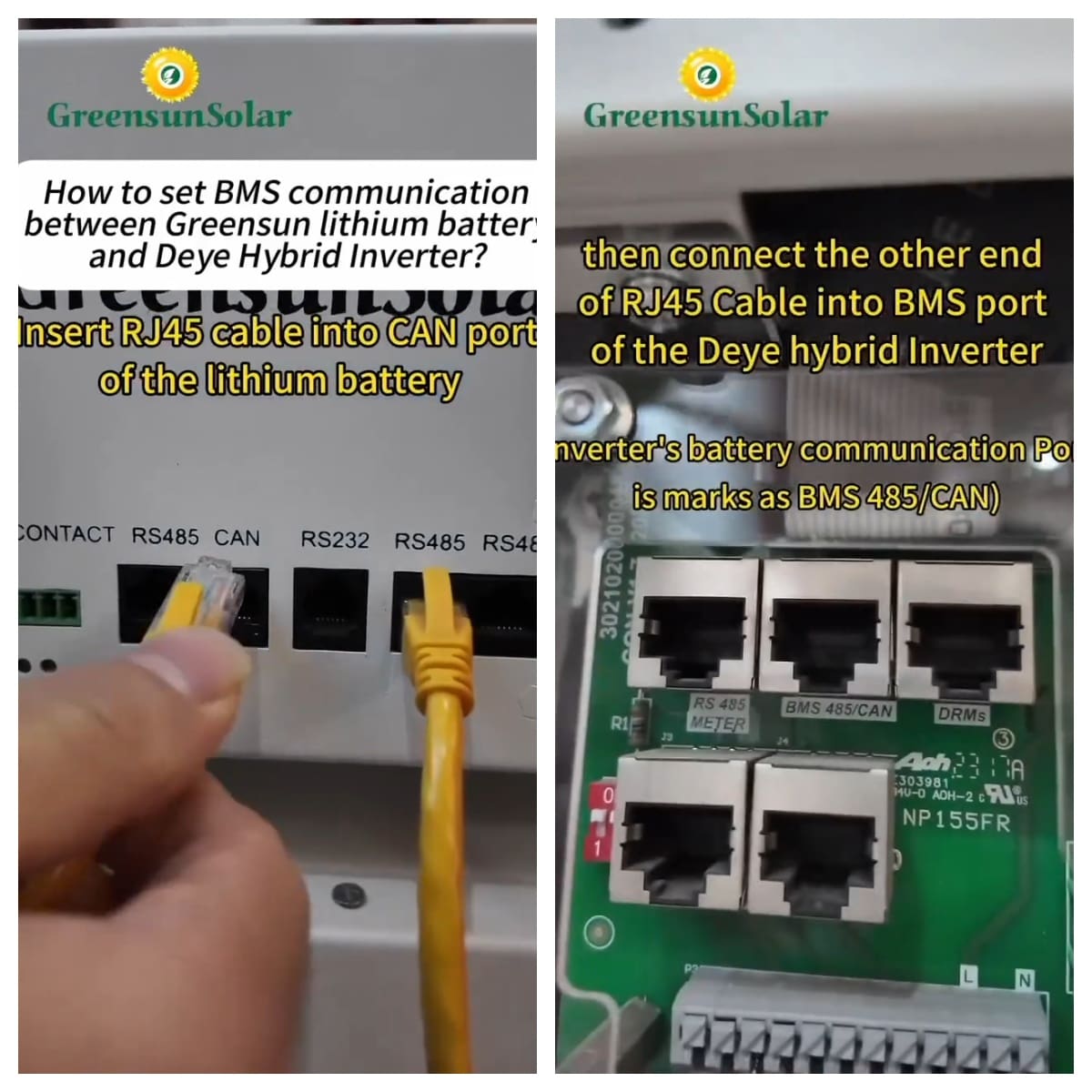
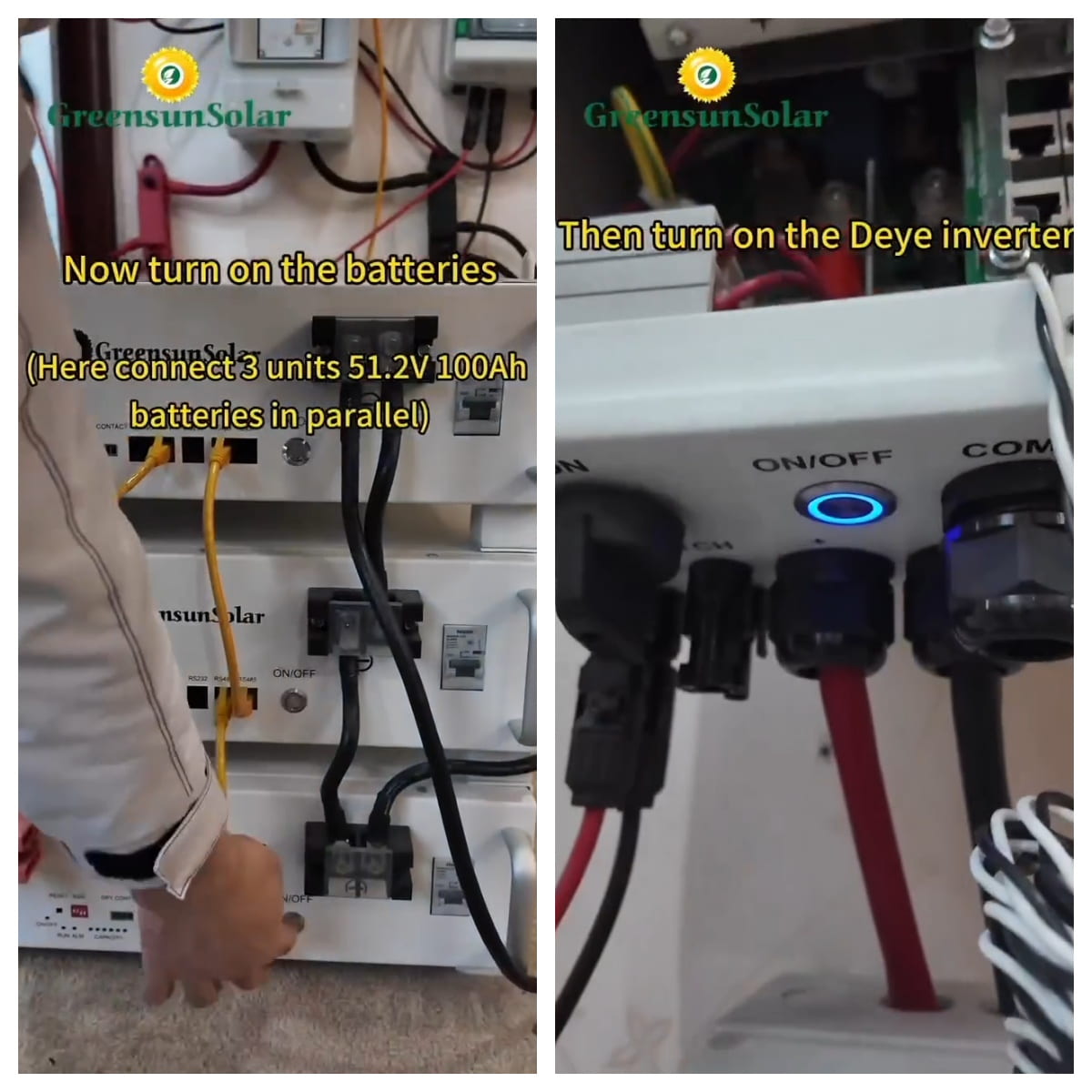
We used three 51.2V 100Ah batteries and one Deye 10kW hybrid inverter for the demonstration.
1. Insert RJ45 cable into CAN port of the lithium battery,and then connect the other end of RJ45 cable into BMS port of the Deye hybrid inverter.
2. Turn on the batteries(3 unit 51.2v 100ah batteries in Parallel), and then turn on the Deye inverter.
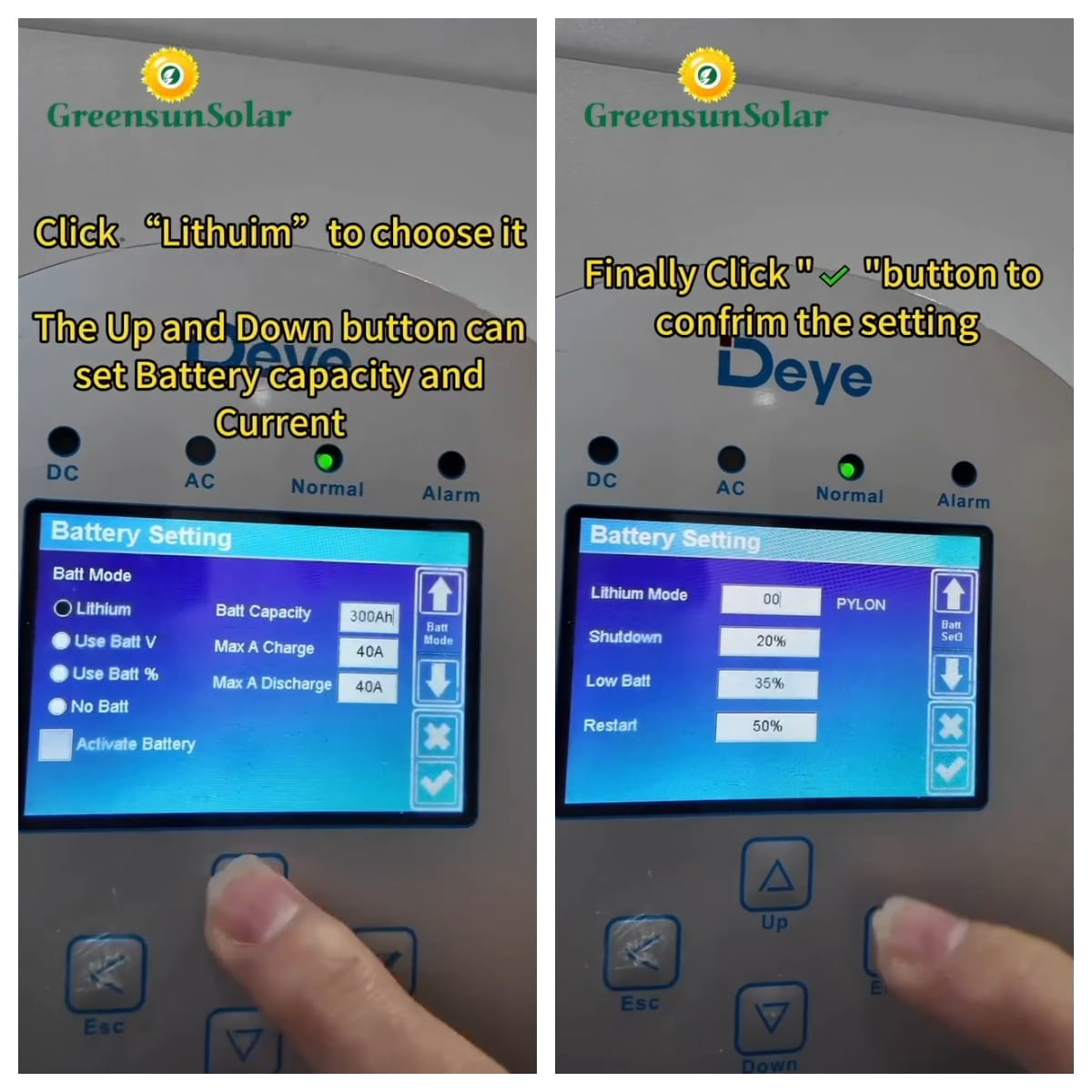
3.Click “System Setup Icon”and then click“Battery Setting”. Choose“Lithium” and set battery Capacity and Current(based on your battery). Finally click“√”to confirm the setting.
4.Choose “00” as lithium mode, it is Pylon protocol.
5.Click“Li BMS” to check details of the connected lithium batteries



 IPv6 network supported